Peavey Amp Troubleshooting: FAQs and Solutions from Experts
As an audio engineer with over seven years of hands-on experience managing live sound reinforcement, stage power distribution, and backline maintenance, I have watched amplifier failures derail high-stakes shows and expensive recording sessions alike.
Whether it is a sudden loss of stage volume mid-set or a mysterious low-frequency hum bleeding into the front-of-house mix, most amplifier issues can be isolated rapidly if you apply a systematic, engineering-focused diagnostic process.
This technical guide provides clean, step-by-step troubleshooting workflows for common Peavey amplifier faults, helping you quickly identify the root cause, apply safe fixes, and determine when a chassis requires a professional workbench repair.
Don’t forget to check out our Robust power amplifier calculator—your quick solution for choosing the perfect power amplifier for any venue or event!
The Anatomy of a Peavey Amplifier
Peavey electronics have anchored touring rigs for more than half a century. To troubleshoot them effectively, you must understand the primary operational blocks that dictate their signal paths and electrical architectures.
+---------------+     +--------------+     +-------------+     +---------------+     +-----------------+
|  Input Jack   | --> | Preamp Stage | --> | EQ Section  | --> | Effects Loop  | --> | Power Amp Stage |
+---------------+     +--------------+     +-------------+     +---------------+     +-----------------+
                                                                                             |
                                                                                             v
                                                                                   +-----------------+
                                                                                   | Speaker Section |
                                                                                   +-----------------+
1. Input Jack & Preamp Stage
The input jack receives the low-voltage, high-impedance instrument signal. The preamp stage then amplifies this weak voltage to line level while shaping the initial tone and gain structure. In solid-state Peavey gear (like the Bandit series), this block utilizes proprietary TransTube circuitry—using solid-state clipping diodes and specific filtering networks to mimic the soft-clipping curves and warm harmonic distortion of vacuum tubes. In pure tube models (like the 6505 or Classic series), this block relies on high-gain vacuum tubes (typically 12AX7 / ECC83 dual-triodes) to drive the initial voltage steps.
2. EQ Section & Effects Loop
The tone stack consists of passive or active filtering networks that attenuate or boost specific frequency bands (Bass, Mid, Treble). Once shaped, the line-level signal passes through the Effects Loop. The Send jack taps the signal directly out of the preamp, while the Return jack injects the external processed signal back into the path immediately before the master volume controls.
3. Power Amp Stage & Speaker Section
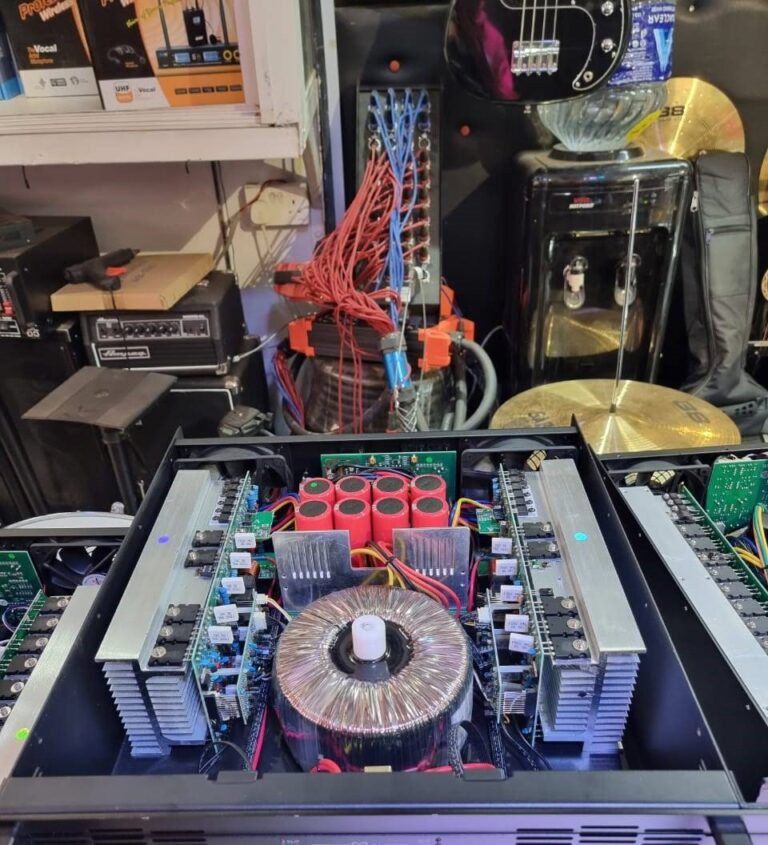
The power section receives the shaped line-level signal and scales up the current and voltage dramatically to generate the raw wattage required to move physical speaker cones. In solid-state systems, this relies on heavy-duty bipolar junction transistors (BJTs) or field-effect transistors (FETs) mounted to large aluminum heat sinks. In tube models, massive power tubes (such as 6L6GC or EL84 pentodes) push current through a heavy output transformer to drive the speakers.
Signs Your Peavey Amp Needs Technical Attention
Common Audio Fault Indicators
- Unusual Noises: Hissing, frying, loud crackling, or a deep $60\text{ Hz}$ mains buzz are clear indicators of component fatigue. Continuous hissing typically points to an aging preamp tube or a noisy input stage transistor. Crackling or popping usually stems from a dirty potentiometer track or a fractured solder connection on a PCB-mounted jack.
- Sudden Tone Changes: If your amplifier suddenly loses its low-end punch, begins sounding thin, or exhibits an uncharacteristic muddy compression, your output section is struggling. This often precedes a complete power tube failure or points to failing power supply filter capacitors.
- Complete Signal Loss: The amplifier lights up, but no audio passes through the speaker section. This points to an open circuit—frequently caused by a blown high-voltage rail fuse, a failed output transformer, or a shorted speaker cable.
- Inconsistent Volume Fluctuations: Volume that sags, drops, or swells randomly during performance indicates an unstable component path. This is commonly caused by loose mechanical connections, oxidized contacts inside switching jacks, or failing power tube bias networks.
Physical and Thermal Red Flags
- Unusual Burning Smells: Any acrid, chemical, or electrical burning scent requires immediate action. Turn off the power switch immediately and disconnect the AC power cord from the wall. This smell indicates an overheating transformer winding, a melting resistor, or a failing power capacitor.
- Visual Anomalies (“Red Plating”): In tube amplifiers, peek through the rear ventilation grille. The internal plates of your large power tubes should never glow bright orange or cherry red (a catastrophic condition known as red plating). This indicates a severe bias voltage failure that will quickly destroy the tube and damage the output transformer if left unchecked.
- Excessive Heat Accumulation: While high-gain tube amplifiers naturally run hot, the metal chassis itself should never become too hot to handle comfortably. Excessive heat indicates a blocked ventilation path, a failing cooling fan, or an improperly biased power section running at maximum thermal stress.
Complete Field Troubleshooting Workflows
1. No Power / Power Supply Issues
[Amp Won't Turn On]
        |
        v
 Is Wall Outlet Active? ----(No)----> Connect to Known Functional Circuit
        |
      (Yes)
        v
 Inspect IEC Power Cable ---(Damaged)--> Replace with Heavy-Duty Power Cord
        |
     (Clean)
        v
 Check Main Chassis Fuse ---(Blown)----> Replace with Exact Current/Voltage Rating
- Step 1: Verify the AC Mains Source. Disconnect your amplifier and plug a known functional device (like a work light or power tool) into the exact same wall outlet to ensure the circuit breaker hasn’t tripped.
- Step 2: Inspect the Power Cable. Check your IEC power cord for frayed insulation, bent pins, or loose connections at the chassis inlet. Replace any suspect cable with a heavy-duty, properly gauged alternative.
- Step 3: Test and Inspect the Mains Fuse. Locate the fuse holder, usually positioned directly adjacent to the power switch or IEC inlet. Unscrew the cap and extract the glass or ceramic fuse cartridge. Look for a broken internal filament or dark silver discoloration.
- Critical Rule: Always replace a blown fuse with the exact current, voltage, and speed rating specified on the amplifier chassis (e.g., T2AL 250V for a slow-blow 2-amp fuse). Never substitute a higher-amperage fuse; doing so bypasses built-in safety margins and can cause a catastrophic internal fire. If the new fuse blows instantly upon powering up, stop troubleshooting—there is a major internal short-circuit in the power transformer or rectifier stage that requires professional bench service.
2. No Sound / Connection Integrity
[No Sound Output]
        |
        v
 Isolate the Amp Stage ----> Plug Guitar Direct to "Effects Return"
        |
        +----(Got Sound?)----> Preamp Fault (Check V1 Tube/Input Jack)
        |
        +----(No Sound)------> Power Amp/Speaker Fault (Check Speaker Cable/Fuse)
- Step 1: Simplify the External Setup. Disconnect all pedalboards, wireless receivers, and external processors. Plug a high-quality guitar cable directly from your instrument into the primary input jack. If audio returns, the problem lies in your external effects chain.
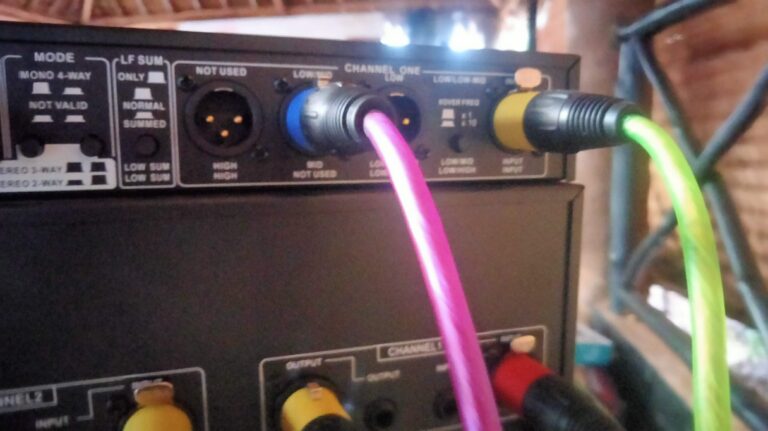
- Step 2: Isolate the Preamp from the Power Amp. Connect a patch cable directly from the Effects Loop Send jack into a separate functional amplifier or audio interface. If you can hear clean guitar audio, your preamp section is working perfectly. Next, plug your guitar directly into the Effects Loop Return jack. If you hear audio from the main speaker, your power amp section is operational. If inserting a cable into the Return jack suddenly resolves an intermittent dropout issue, the mechanical switching contacts inside the jack are oxidized. Spray them with an electronic contact cleaner and insert an XLR or 1/4-inch plug repeatedly to clean the contacts.
- Step 3: Verify the Speaker Loading. For combo amps, ensure the internal speaker wire spade connectors are securely pressed onto the metallic tabs of the speaker driver. For amplifier heads, check that your speaker cable is a dedicated, unshielded heavy-gauge speaker cable, never a shielded instrument cable. A shielded instrument cable cannot handle the high current requirements of a power section and can short out, destroying your output transistors or transformer.
3. Distortions, Noise, and Ghost Hum Fixes
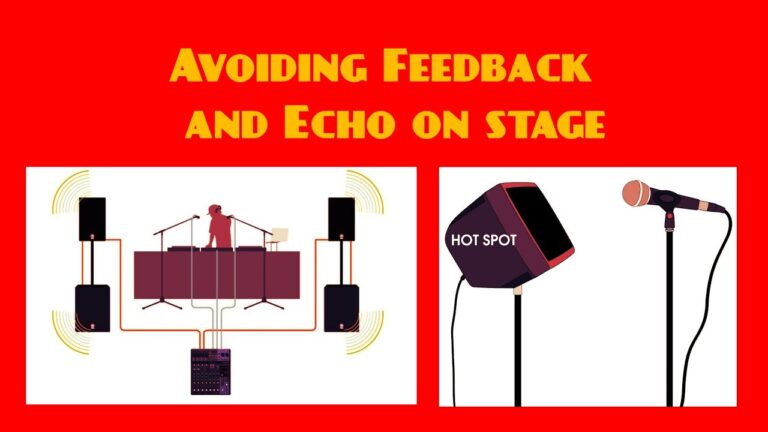
- Eliminating Ground Loops and EMI: A deep, unvarying $60\text{ Hz}$ or $120\text{ Hz}$ hum is typically caused by a ground loop or electromagnetic interference (EMI). Ensure your amplifier is plugged into the same electrical circuit as your audio mixer or pedalboard power supply. Move the amplifier away from local noise sources like fluorescent lighting ballasts, stage dimmer packs, or computer monitors.If your Peavey amp features a physical Ground Switch (common on vintage models like older Bandits or Classics), toggle it to find the position with the lowest background noise floor.
- Identifying Microphonic Tubes (The Eraser Test): If your tube amplifier generates a high-pitched squeal or metallic ringing that changes with stage volume, a preamp tube has likely become microphonic.Power on the amplifier, turn the master volume up to a moderate level, and gently tap the glass envelope of each preamp tube (12AX7) one by one using the rubber eraser of a wooden pencil. A healthy tube will produce a dull thud through the speaker. A microphonic tube will transmit a sharp, ringing click or trigger an instantaneous feedback howl. Replace the noisy tube with an identical type.
Component-Level Reference Table
| Symptom Category | Likely Root Cause | Practical Field Check / Resolution |
| Loud, continuous hum (independent of volume settings) | Blown or dried-out electrolytic filter capacitors in the power supply section. | Requires bench technician service to discharge, test, and safely desolder high-voltage filter caps. |
| Scratchy, popping audio when turning knobs | Airborne dust or oxidation settled inside the carbon track of the potentiometer. | Spray high-quality electronic contact cleaner (e.g., DeoxIT D5) directly into the rear slot of the pot housing, then rotate the knob back and forth 30 times. |
| Complete audio silence; tubes light up normally | Blown internal High-Voltage (HT) fuse or open circuit in the output transformer. | Inspect the HT fuse link on the main PCB board. Replace only with an identical factory-specified component. |
| Intermittent dropouts when wiggling cables | Fractured or cold solder joints securing the input jack pins directly to the PCB interface. | Desolder the old joint, clean the pad area, and apply fresh leaded or lead-free solder to rebuild the mechanical anchor. |
Maintenance Protocols for Professional Stage Gear
Monthly Field Maintenance Checklist
- Chassis De-dusting: Use clean, compressed air to blow accumulated dust, lint, and stage fog residue out of the internal cooling fans, power tube sockets, and chassis ventilation grilles. Blocked ventilation pathways trap heat and accelerate thermal runaway.
- Contact Cleaning: Lightly apply a fast-evaporating electronic contact cleaner to your 1/4-inch cable plugs and insert them into the Input, Speaker, and Effects Loop jacks several times to scrub away oxidation layers.
- Mechanical Inspection: Check and tighten all exterior chassis hardware, focusing on handle mount screws, corner protectors, speaker mounting baffles, and transformer mounting bolts. Touring vibration naturally loosens these mechanical links over time.
Safe Transportation and Climate Storage Rules
- Thermal Stabilization: Never power up an amplifier immediately after moving it from a freezing transport vehicle or trailer into a hot venue. Rapid ambient temperature swings cause condensation to form along internal high-voltage trace pathways, risking a destructive arc-flash short circuit. Allow the chassis to acclimate to room temperature for at least 45 minutes before applying mains voltage.
- Mechanical Stress Reduction: When transporting heavy tube heads (like the Peavey 6505), always store them in their proper upright vertical orientation. Transporting them on their side or upside down places severe cantilever weight stress on the structural glass pins of large power tubes and can fracture internal tube elements over long, bumpy road trips.
Frequently Asked Questions
1. Why does my Peavey amp make a loud hum even when nothing is connected to the input jack?
A continuous hum that remains steady regardless of your volume control settings points to a power supply filtration issue. Over time, the heavy-duty electrolytic filter capacitors responsible for smoothing out AC ripple voltage dry out or fail structurally. When this happens, raw alternating current leaks directly into your audio path. This issue requires professional shop service to safely discharge and replace the high-voltage capacitors.
2. My Peavey amp suddenly lost all audio volume while playing mid-set. What should I check first?
Immediately inspect the main power indicator light and look at the standby switch. If all lights have gone dark, check your main AC power source and verify the status of the primary chassis fuse. If the lights are active and your tubes are glowing, check your instrument cable, then bypass your effects loop completely by running a patch cable directly from the Send jack into the Return jack to see if an internal jack switch has oxidized and stuck open.
3. How often should I replace the vacuum tubes in my Peavey tube amp?
Power tubes (6L6GC, EL84) operate under intense thermal and current loads, typically delivering peak performance for 500 to 1,000 active playing hours. If you gig regularly at high stage volumes, consider replacing your power tubes annually to prevent a sudden mid-show failure. Preamp tubes (12AX7) experience significantly less voltage wear and can easily last two to three times longer. Watch for early warning signs like an increased background noise floor, a loss of punch, or an uncharacteristic muddy compression curve.
4. Why does my Peavey Bandit sound heavily distorted even on the clean channel with the gain turned down low?
First, verify that your instrument itself isn’t overloading the input stage. High-output active pickups with a dying 9V battery or a boosted pedal chain can easily clip the preamp input. Test the amp with a standard passive guitar. If the harsh distortion continues at low volumes, the issue could be a torn or detached speaker cone, a misaligned voice coil rubbing against the magnet assembly, or a failed bias resistor within the solid-state power block.