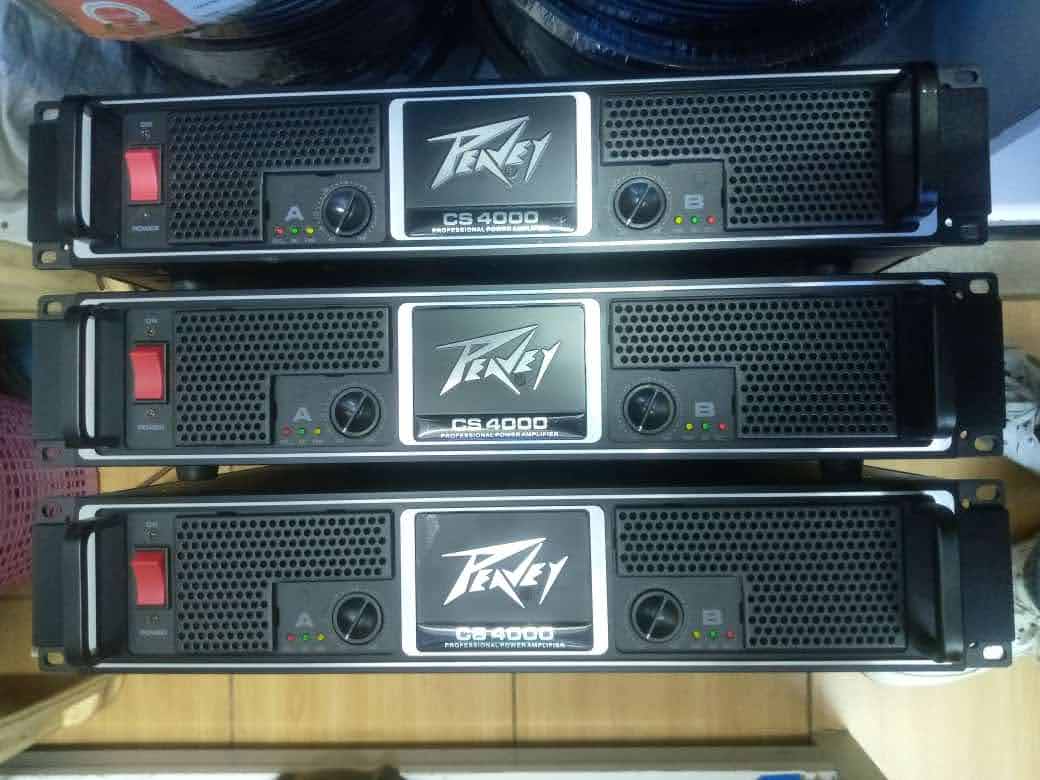
Peavey Amp Volume Problems: Why the Volume Drops, Cuts Out or Won’t Get Louder
A Peavey amplifier can develop several different types of volume problems.
The volume may suddenly become quiet. It may start loud and gradually get weaker. The volume control may seem to do very little. The amplifier may work normally at low volume but cut out when you turn it up. You may also find that the amp becomes loud again after being switched off or allowed to cool.
These symptoms can have very different causes.
🔊 Choosing the right amp for your speaker setup? Try our free Power Amplifier Calculator to calculate required amplifier wattage, speaker impedance, RMS power, bridged power, and safe amp-to-speaker matching in seconds.
A dirty or failing control is possible, but it is not the only explanation. The problem can also come from the instrument or source, a cable, the effects loop, gain staging, a speaker connection, an incorrect load, overheating, protection circuitry or an internal amplifier fault.
The best approach is to determine whether the volume problem occurs before the amplifier, inside the preamp, in the power section, or at the speaker.
This guide shows you how to narrow that down without immediately opening the amplifier.
Safety warning: Do not remove the amplifier chassis or probe internal circuitry unless you are qualified to work on electronic equipment. Amplifiers can contain hazardous voltages. If the troubleshooting below points to an internal fault, use a qualified technician.
First identify what the volume is actually doing
Before touching anything, describe the problem as accurately as possible.
There is a big difference between:
“My Peavey is quieter than it used to be.”
and:
“My Peavey is loud for five minutes, then gradually becomes quiet.”
Those symptoms point toward different parts of the system.
| Symptom | Start by checking |
|---|---|
| Amp is always quieter than before | Source, cable, gain, speaker and controls |
| Volume drops while playing | Thermal protection, connection, speaker or internal fault |
| Volume cuts out at high volume | Load, protection, clipping or overheating |
| Volume control crackles while turning | Control/potentiometer or connection |
| Master volume barely changes output | Gain structure, control, signal path or fault |
| Amp is loud then suddenly becomes quiet | Protection, thermal issue, connection or output stage |
| Volume returns after cooling | Possible thermal protection |
| Only one input/channel is quiet | Channel/input path |
| Clean channel is loud but lead channel is quiet | Channel-specific settings or fault |
| Amp sounds weak but never completely cuts out | Gain staging, speaker, preamp or output-stage issue |
The first objective is not to repair anything.
It is to determine which category your problem belongs to.
Don’t assume the master volume controls the same thing on every Peavey
This is an important detail because Peavey has produced many different amplifier designs.
On some models, the amplifier has separate channel volume or gain controls followed by a master volume.
Peavey’s ValveKing documentation, for example, describes the master volume as controlling the overall output level, while the channel controls establish the tone and gain characteristics before the master stage.
Older Peavey designs can work differently.
The Classic manual explains that its channel volume controls affect the gain and sensitivity of the preamp rather than directly representing power output. It also describes the master volume as a later gain-determining element in the signal path.
That means you should not assume that turning one knob up or down tells you exactly where the fault is.
The exact Peavey model matters.
Step 1: Check the instrument or source
Start at the beginning of the signal chain.
If you’re using a guitar, plug it directly into the amplifier.
Remove pedals and processors temporarily.
Set the guitar’s volume control to a normal position and test the amplifier.
A guitar with a failing volume potentiometer, damaged output jack or intermittent cable can produce symptoms that look like an amplifier problem.
Peavey’s own guitar documentation notes that the instrument’s volume controls determine the output level being sent to the amplifier.
If the amplifier becomes normal when another instrument is connected, don’t start replacing amplifier components.
The problem may be upstream.
Step 2: Replace the input cable
Use a cable that you know works.
Don’t rely on the appearance of the existing cable.
A cable can have an intermittent internal connection that only fails when it is moved.
This can produce an especially confusing symptom.
You might play normally for several minutes, move around on stage, and suddenly hear the volume drop.
Then you touch the cable and the sound returns.
That is a strong indication that the cable or connector needs investigation.
Test with a known-good cable before doing anything more complicated.
Step 3: Remove pedals and external processors
If your setup normally looks like:
Guitar → pedals → effects → Peavey
simplify it.
Test:
Guitar → Peavey
If the volume problem disappears, reconnect the pedals one at a time.
This gives you a controlled way to identify the device causing the problem.
A failing pedal power supply can also create strange level problems, so don’t assume the pedal itself is defective.
Step 4: Check the amplifier’s gain and volume controls
Set the amplifier to a simple known-good configuration.
Check the relevant:
Pre-gain
Channel volume
Post-gain
Master volume
Boost
Volume
Mute
Standby
The names vary by model.
For example, Peavey’s VYPYR documentation uses separate pre-gain and master-volume concepts, and Peavey’s Classic documentation distinguishes channel volume from master volume.
Start with a clean or otherwise uncomplicated preset if you’re using a modeling amplifier.
This removes effects and unusual preset levels from the equation.
Step 5: Compare the problem across channels
If your Peavey has multiple channels, this is one of the most useful tests.
Try the same guitar, cable and speaker configuration on another channel.
Suppose you have:
Clean channel = loud
Lead channel = very quiet
That points toward the lead channel’s signal path rather than the speaker or power amplifier as a whole.
Now reverse the test.
If both channels are equally quiet, investigate components shared by both channels.
This is much more useful than simply turning the master volume higher.
Step 6: Watch what happens when you turn the volume control
Does the volume control behave normally?
A healthy control should produce a predictable change in level.
If you turn it slowly and hear:
scratchy noise
crackling
intermittent volume
sudden jumps
dead spots
then the control or its associated circuitry deserves attention.
But don’t immediately conclude that the potentiometer itself is defective.
The control may be interacting with another fault in the signal path.
The useful clue is whether physically moving the control changes the symptom.
A volume knob that crackles does not automatically mean the amplifier is dying
Older amplifiers can develop noisy controls.
Dust, oxidation or wear can cause noise when a potentiometer is rotated.
But there is an important distinction.
Crackling only while turning the knob
This can indicate a control or contact problem.
Volume continuously fluctuates without touching the knob
That points toward a different problem.
Possible causes include:
Signal interruption
Thermal protection
Bad connection
Speaker problem
Power supply issue
Output-stage fault
Treat those symptoms differently.
Step 7: Does the volume drop only after the amp gets hot?
This is one of the most important clues.
Suppose your Peavey behaves like this:
You switch it on.
It sounds normal.
You play for 20 or 30 minutes.
The volume gradually decreases.
You continue playing.
The amplifier becomes quieter.
You switch it off.
After it cools down, the volume returns.
That pattern makes thermal behavior much more suspicious.
Some Peavey amplifiers incorporate thermal protection that can disconnect or limit output when operating temperatures become excessive.
Peavey’s documentation for certain amplifier models describes thermal protection as a condition that can interrupt output when the amplifier becomes excessively hot.
Don’t treat cooling as the repair.
If the amplifier repeatedly becomes quiet when hot, investigate:
Ventilation
Blocked cooling openings
Fan operation where applicable
Speaker load
Operating environment
Excessive output levels
Possible internal faults
Repeated thermal problems deserve attention.
Step 8: Check the amplifier’s ventilation
Look at where the amplifier is operating.
Is it sitting against a wall?
Are ventilation openings covered?
Is equipment stacked directly on top of it?
Is it being used in a hot room?
Is it inside a poorly ventilated rack?
An amplifier that cannot get rid of heat can behave very differently from one operating in a properly ventilated environment.
Do not cover ventilation openings because the amplifier is noisy.
Heat management is part of reliable amplifier operation.
Step 9: Check the speaker and speaker cable
A speaker problem can sound like an amplifier volume problem.
The speaker may be:
Partially failing
Intermittently disconnecting
Overheating
Damaged
Connected through a faulty cable
Try a known-good compatible speaker and cable if your setup allows it.
If the volume returns to normal, the amplifier may not be the problem.
This is especially important with separate power amplifiers and passive speaker cabinets.
Step 10: Check speaker impedance
If the volume problem started after changing your speaker setup, investigate the load.
Ask yourself:
Did you add another speaker?
Did you replace the cabinet?
Did you connect multiple cabinets?
Did you change the impedance?
Did you change how the amplifier is wired?
Did you switch operating modes?
An amplifier’s output stage is designed to operate within specified load conditions.
An inappropriate load can cause protection, overheating or abnormal output.
Don’t determine compatibility from the connector alone.
Check the exact Peavey model’s manual.
Step 11: Does the amplifier get quieter only when you turn it up?
This is a particularly useful symptom.
Suppose the amplifier sounds normal at moderate volume.
You increase the volume.
Instead of getting louder, it becomes compressed, distorted or suddenly drops in level.
That can indicate the amplifier is reaching a protection or limiting condition.
Peavey uses DDT on various power amplifiers as a distortion-detection/protection system. Peavey’s documentation explains that DDT can reduce gain when the amplifier reaches excessive clipping.
The important question is whether the amplifier is being pushed beyond what the system can safely deliver.
Don’t assume that a volume drop means you need a more powerful amplifier.
First determine why the existing amplifier is limiting or protecting itself.
Step 12: Check for DDT or protection activity
If your Peavey has a DDT, Protect, Temp, DC or similar indicator, watch what happens when the volume drops.
Does the indicator activate at the same time?
If yes, you’ve gained an important diagnostic clue.
Peavey explains that DDT can respond to excessive clipping and help prevent severely clipped signals from reaching the speaker.
The correct interpretation depends on the amplifier model.
A protection indicator doesn’t automatically mean the amplifier is broken.
It may mean the amplifier is reacting to something happening elsewhere in the system.
Step 13: Check your gain structure
Poor gain staging can make an amplifier behave very differently from what you expect.
For example:
Mixer output too high
→ amplifier input overload
→ clipping/protection
→ reduced usable output
Peavey specifically warns that clipping the signal before it reaches the power amplifier and insufficient amplifier headroom can contribute to speaker damage and poor system performance.
If you’re using a mixer, don’t simply turn every control up.
Set the source and mixer levels appropriately, then bring up the amplifier level.
The goal is a clean signal with enough headroom.
Step 14: Check the effects loop
An effects loop can create unusual volume behavior.
If your Peavey has an effects send and return, temporarily remove external processors from the loop.
Then test the amplifier directly.
If the volume returns, reconnect the effects equipment one device at a time.
Older equipment can also develop problems around switching contacts in effects-loop jacks.
There are reports on Peavey’s own forum of older 5150 users experiencing unusual level behavior associated with effects-loop connections, although forum reports should be treated as model-specific user experiences rather than proof that every Peavey amplifier has the same problem.
That is why the direct test is more useful than assuming a particular component has failed.
Step 15: Test the amplifier with a simple signal
If you’re troubleshooting a guitar amplifier, use a clean guitar signal.
Avoid:
Multiple pedals
Heavy effects
Looper
External processors
Complex switching systems
You want to know whether the basic amplifier path is stable.
Once the basic configuration works, add your equipment back one component at a time.
Step 16: If the volume drops, don’t immediately turn the master higher
This is an important mistake to avoid.
If the amplifier becomes quieter because it is entering protection, turning the master volume higher can make the underlying problem worse.
Instead, observe:
What was happening immediately before the volume dropped?
Was the amplifier hot?
Was the signal heavily distorted?
Did the speaker start making unusual sounds?
Did an indicator change?
Did you move a cable?
Did you switch channels?
Did you connect another speaker?
Did the problem occur at the same volume level every time?
The timing of the failure is often more useful than the failure itself.
A practical volume-drop test
If you’re working on a Peavey guitar amplifier, try this controlled test.
Turn the amplifier off.
Disconnect pedals and external processors.
Connect a known-good guitar with a known-good cable.
Use a basic clean channel or clean setting.
Set the guitar volume to a normal position.
Set the amplifier’s relevant gain and volume controls conservatively.
Play for several minutes.
Gradually increase the volume.
Watch what happens.
If the amplifier remains stable, reconnect your pedals one at a time.
If the problem returns after reconnecting one device, you’ve narrowed down the source.
If the amplifier becomes quiet even with the simplified setup, continue investigating the amplifier, speaker and thermal behavior.
What if the Peavey volume keeps going up and down?
If the volume fluctuates without touching any controls, don’t assume the volume potentiometer is responsible.
Try to identify whether the fluctuation follows:
Movement
Temperature
Volume level
Channel
Input
Cable position
Speaker
Effects loop
For example, if moving the guitar cable causes the volume to jump, suspect the cable or connector.
If the volume changes only after the amplifier gets hot, investigate thermal behavior.
If it happens only at high output levels, investigate load, clipping and protection.
If it happens only on one channel, investigate that channel.
The symptom becomes much easier to diagnose once you identify what triggers it.
What if the Peavey sounds good at low volume but weak at high volume?
This can be caused by several things.
The amplifier may be reaching its output limits.
The speaker may be unable to handle the required output.
The speaker load may be inappropriate.
The amplifier may be entering protection.
The signal may be clipping upstream.
The amplifier may have a developing fault that becomes apparent under load.
Start with a known-good speaker and a simple source.
Then check the amplifier’s indicators while gradually increasing the level.
Do not keep increasing the volume if the amplifier becomes excessively hot, repeatedly enters protection or produces abnormal sounds.
What if the volume suddenly drops during a performance?
If this happens on stage, don’t immediately start changing everything.
Reduce the level.
Check whether the amplifier is still receiving signal.
Check the cable.
Check the speaker connection.
Check the amplifier’s indicators.
If the amplifier is hot, allow it to cool if the situation permits.
If you have a backup amplifier or known-good cable available, use the simplest replacement test possible.
After the performance, investigate the cause properly.
A temporary recovery is not proof that the problem is solved.
What if the volume comes back after switching the Peavey off and on?
This is an important clue.
Power cycling can temporarily reset a protection state or allow an overheated component to cool.
It does not necessarily repair the underlying problem.
If the same sequence keeps happening:
Normal operation → volume drops → power cycle → normal operation
write down exactly when the failure occurs.
If it happens after approximately the same amount of playing time, temperature becomes more suspicious.
If it happens only at high volume, load or protection becomes more suspicious.
If it happens randomly when cables move, connections become more suspicious.
What if the volume control itself feels noisy?
If rotating the control produces scratchy or intermittent noise, the control may need attention.
However, don’t spray an unknown contact cleaner into the amplifier without understanding the component and the manufacturer’s recommendations.
Some controls and electronic assemblies can be damaged by inappropriate chemicals.
If cleaning or replacing a potentiometer is necessary, it is safer to have the correct procedure performed by someone familiar with the amplifier.
What if only the Peavey XXX has volume problems?
The Peavey XXX is a model-specific case, and its controls should not be treated exactly like those of every other Peavey amplifier.
The wider symptom of “Peavey XXX volume issues” can refer to several different problems:
Volume dropping
Low output
Master volume behaving strangely
Channel imbalance
Volume changing while playing
Sound disappearing at higher levels
Volume returning after cooling
If you have a XXX and the problem is specifically associated with the master volume, channel switching or effects loop, the next step should be a model-specific diagnosis rather than replacing parts based on a generic Peavey troubleshooting article.
That is also why this article covers the general symptom while keeping model-specific faults separate.
When the speaker is the actual problem
Don’t overlook the loudspeaker.
A speaker can develop a fault that becomes obvious only when you increase the volume.
You might hear:
Crackling
Rattling
Fuzzy distortion
Intermittent output
Reduced volume
A sudden drop in output
Peavey warns that hard feedback, excessive EQ, clipping and inadequate amplifier headroom can damage speakers and diaphragms. It also recommends checking with a dealer or service center when speaker damage is suspected.
If the amplifier sounds clean into a known-good speaker but the original speaker produces problems, investigate the speaker rather than the amplifier.
When the amplifier itself becomes the likely problem
After testing the external signal path, the amplifier becomes more suspicious when:
The same problem occurs with multiple known-good cables.
The same problem occurs with multiple known-good sources.
The same problem occurs with a known-good compatible speaker.
The problem remains after removing external effects.
The amplifier’s controls don’t behave normally.
The amplifier repeatedly enters protection.
The amplifier becomes abnormally hot.
The volume drops even with a simple signal and correct load.
The problem remains isolated to the amplifier.
At that point, professional service is appropriate.
Peavey provides manuals, technical notes, support resources and a dealer/service-center locator. Its FAQ specifically directs owners who need repair assistance toward authorized service centers or dealers.
Troubleshooting checklist
- Test the amplifier with a known-good source.
- Replace the input cable with one you know works.
- Remove pedals and processors temporarily.
- Check the guitar or source volume.
- Check pre-gain and channel volume.
- Check master volume.
- Test another channel if available.
- Check the effects loop.
- Check the speaker cable.
- Test a known-good compatible speaker.
- Verify the speaker impedance.
- Check ventilation.
- Check whether the problem appears after the amplifier heats up.
- Watch DDT, TEMP, PROTECT, DC or other relevant indicators.
- Check whether the problem occurs only at high volume.
- Check mixer gain structure if the amplifier is part of a PA.
- Simplify the signal chain.
- Record exactly when the volume problem occurs.
- Stop troubleshooting internally if the fault appears to be inside the amplifier.
When should you stop using the amplifier?
Stop and have the amplifier inspected if you notice:
A burning smell.
Smoke.
Repeated fuse failures.
Abnormal overheating.
Repeated protection shutdowns.
Unusual electrical noises.
A speaker that appears damaged.
A channel that remains unreliable after external testing.
Do not keep operating equipment that is showing signs of an electrical fault simply because it still produces some sound.
Final diagnosis
A Peavey amplifier that loses volume is not necessarily suffering from a bad volume knob.
The most useful question is:
What changes immediately before the volume drops?
If the problem follows a cable, start with the cable.
If it follows a speaker, investigate the speaker or speaker cable.
If it appears only when the amplifier becomes hot, investigate thermal behavior.
If it occurs only at high output levels, investigate load, clipping and protection.
If it occurs only on one channel, investigate that channel’s signal path.
If it happens with multiple known-good sources, cables and speakers and remains isolated to the amplifier, the internal electronics become the more likely source.
That approach gives you a much better chance of finding the actual fault without replacing perfectly good equipment.
Need a model-specific diagnosis?
Peavey has produced a large range of amplifiers, and the controls, protection systems and signal paths vary between models.
If your amplifier is a Peavey XXX, Bandit, Classic, 6505, ValveKing, KB series, VYPYR or another specific model, use the exact model manual when checking controls, connections and operating conditions.
Peavey’s support center provides access to owner manuals, technical notes and service information for its products.
The more precisely you can describe the symptom, the easier it becomes to isolate the problem.
Instead of saying:
“My Peavey has volume issues.”
Describe it as:
“My Peavey XXX is loud for about 20 minutes, then the volume drops by roughly half. The signal remains present, the speaker works with another amplifier, and the volume returns after the amp cools.”
That description points toward a very different diagnosis from:
“The volume knob crackles whenever I turn it.”
Good troubleshooting starts with that distinction.